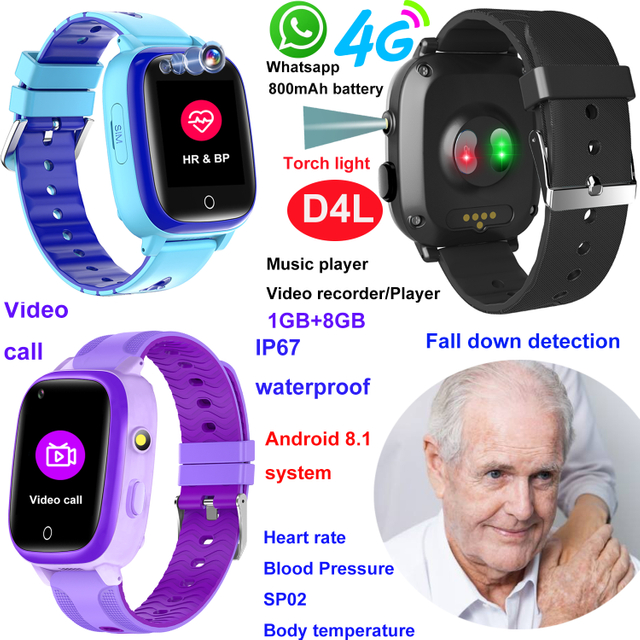
WiFi can reduce elderly GPS watch power use when it replaces energy-intensive cellular communication or repeated satellite location attempts in a known indoor environment. The saving is not automatic: scanning continuously for networks, maintaining a weak connection, making long calls, or requesting very frequent positions can consume more power. A Senior Healthcare GPS Watch therefore needs a coordinated strategy across WiFi, cellular service, positioning, screen use, alerts, and sleep behavior. For caregivers, the practical goal is not the longest possible standby claim. It is predictable operation through the required care period, with enough reserve for an SOS call, location request, or alert when it matters.
Key Takeaways
WiFi can lower energy use at home when the connection is stable and the watch would otherwise rely on cellular data or repeated high-effort positioning.
Actual runtime still depends on signal strength, update frequency, calls, screen activity, sensors, temperature, software, and battery condition.
Configure only the functions the care plan needs, test the watch in its real environment, review battery decline over several days, and keep a regular charging routine.
Do not assume that WiFi alone guarantees longer runtime or that a battery estimate guarantees availability in an emergency.
Why Wireless Communication Uses So Much Energy
A wearable has a small energy budget. Every radio task requires the device to wake, search, transmit, receive, process a result, and return to a lower-power state. The cost is affected not only by the technology used but also by how long the radio remains active and how successfully it completes the task.
Cellular communication can be efficient when coverage is strong and data exchanges are brief. It can become expensive when the signal is weak, the watch repeatedly searches for a network, reconnects, increases transmission power, or retries data. This pattern is common inside buildings with thick walls, metal structures, underground areas, or marginal carrier coverage. A watch that appears idle may still be working hard to maintain service.
Satellite positioning has another cost. A cold or obstructed receiver may need more time to obtain a useful fix. Indoors, the signal can be too weak or reflected to provide the expected result, yet repeated attempts may continue to consume energy. WiFi can help because a known access point provides a local data path, and nearby network information can contribute to location context in environments where satellite reception is limited.
The principle is simple: a short successful task usually costs less than a long unsuccessful task. WiFi saves energy when it helps the watch complete communication or positioning-related work faster and return to a low-power state.
What WiFi Actually Changes in a Senior Healthcare GPS Watch
WiFi can play two different roles. First, it can carry data between the watch and its platform while the wearer is within a configured network. This may reduce dependence on the mobile connection for routine synchronization. Second, nearby WiFi information can support approximate indoor location. These roles should not be confused. A watch may use WiFi as a network connection, as a location input, or both, depending on its hardware and software design.
The D41WiFi homecare GPS watch is designed around cellular service with WiFi support. Its verified product information describes manual WiFi connection, caregiver-side network management, GPS plus WiFi plus LBS positioning, an RTOS platform, an 800mAh rechargeable battery, and three to four working days under the listed normal-use conditions. Real runtime will vary with the network, settings, calling, alerts, temperature, battery age, and user behavior.
At home, the intended advantage is continuity. If cellular reception is poor but the home WiFi is stable, the watch can use the known network for supported communications. That can reduce repeated cellular effort and mobile data use. WiFi information may also give the platform location context without demanding an indoor satellite fix every time.
Away from home, cellular service remains important because the watch cannot assume that a trusted WiFi network is available. A well-designed operating pattern uses the appropriate connection for the place rather than forcing one radio to handle every situation.
Power Use Is a System, Not a Single Feature
Activity or condition
Why it consumes energy
Lower-power approach
Care-related caution
Weak cellular signal
Network search, higher transmit effort, reconnection, and retries can extend radio-on time
Verify carrier coverage and use stable home WiFi where supported
Never disable the connection needed away from home without a tested alternative
Frequent location updates
Each request can wake radios, processing, and data transfer
Choose an interval matched to actual risk and movement
A longer interval reduces freshness; document what caregivers should expect
Indoor satellite attempts
Buildings obstruct satellite signals and can lengthen time to a fix
Use supported WiFi or cellular location context indoors
Indoor location is approximate and should not be treated as room-level proof
Voice calls
Microphone, speaker, network, and processing remain active
Keep routine calls purposeful and use another device for long social calls if appropriate
Do not restrict access to necessary contact or emergency communication
Bright or frequently active screen
Display backlight and interaction wake the device
Use readable but moderate brightness and a sensible screen timeout
The wearer must still be able to read status and controls
Excessive alerts and sensors
Notifications, vibration, measurements, and synchronization wake the device
Enable functions that have a defined care purpose
Removing an alert without reviewing the response plan can create a safety gap
WiFi scanning without a usable network
Repeated scans can waste energy
Store correct networks and avoid unnecessary scanning modes
Recheck settings after router or password changes
Cold conditions or battery aging
Available capacity and delivery can decline
Keep the device within its stated operating conditions and monitor trend
Replace or service a degraded battery according to product guidance
This comparison shows why one specification cannot predict runtime. Battery capacity matters, but radio behavior and duty cycle often determine how quickly that capacity is used. A procurement decision should examine the intended update rate, coverage conditions, daily calls, charging opportunity, and enabled functions together.
Stable WiFi Can Shorten the Active Work Cycle
The energy benefit of WiFi is best understood through time. Imagine that a watch needs to send a small status update. On a strong known WiFi network, it may connect, exchange the data, and return to a low-power state quickly. On weak cellular coverage, it may need to search, register, transmit, wait, and retry. The second task keeps components active longer.
The same idea applies to location. An outdoor satellite fix may be efficient when the sky is visible. Indoors, repeated satellite work can be slow or unsuccessful. WiFi-based context may be obtained from nearby networks and sent for processing with less radio-on time, depending on implementation. The result may be less precise than a good outdoor satellite fix, but it can be more useful than wasting energy on a signal that is unavailable.
Caregivers should not conclude that WiFi is always the lowest-power option. A distant access point with unstable authentication can create repeated reconnects. A changed password can leave the watch scanning for a network it can no longer join. A crowded network can delay data. Software that scans too frequently can erase expected savings. The configuration must be verified after installation and whenever the router, password, or residence changes.
RTOS Design and Power Discipline
A real-time operating system can support a focused device by scheduling defined tasks and allowing hardware to sleep when work is complete. It does not automatically make every product low power. Runtime still depends on application design, radio firmware, sensor intervals, display behavior, network conditions, and the policies controlling wake and sleep.
For a purpose-built elderly watch, the advantage of a focused RTOS design is that it can avoid some background activity associated with a general-purpose smartphone environment. There may be fewer entertainment applications, fewer user-installed processes, and a smaller set of supported workflows. This can improve predictability as well as reduce complexity. Predictability matters in care because a device should not lose a large share of its battery due to an unexpected app update or uncontrolled background task.
4P-Touch positions D41WiFi as a simplified, no-camera RTOS watch for homecare, nursing, and hospital-care contexts. The absence of a camera reduces one source of power use and interface complexity. Buyers should still validate the exact firmware configuration, network bands, app behavior, language, alerts, and battery performance required for their market.
Update Frequency Creates the Biggest Trade-Off
Location freshness and battery life pull in opposite directions. A very short update interval wakes the watch often, uses positioning resources, and transfers more data. A long interval reduces work but may show a position that is no longer current. The right setting depends on the care scenario.
For a parent who normally stays at home and takes one planned walk, constant high-frequency tracking may add little value. Routine status updates plus a more active mode during the walk may be sufficient if the product supports that workflow. For a person at significant risk of wandering, a shorter interval may be justified, but caregivers must accept the battery cost and create a stronger charging plan.
Geofences can help focus attention, but they are not free. The system must obtain and evaluate location data, and boundary behavior can generate repeated alerts if the zone is too tight or location estimates vary near the edge. Set zones around meaningful areas, allow for normal location variation, and test entry and exit several times. An alert must also have an owner and response; otherwise it consumes energy without improving care.
Avoid selecting an interval from a marketing demonstration. Measure how long the watch actually operates with the final settings in the intended building and on routine routes. A configuration that lasts several days in strong coverage may behave differently in a concrete apartment or rural area.
A Practical Home Test for Battery Behavior
Start with a fully charged watch and record the time. Confirm that the mobile service, home WiFi, contacts, location interval, screen setting, alerts, and sensors match the intended deployment. Do not test a stripped-down configuration and then add many high-use functions after the runtime estimate has been accepted.
Use the watch through a representative schedule. Include time at home, a normal outdoor trip, at least one short call, routine location checks, and any planned reminders. Record battery level at the same times each day. Note unusual events such as weak coverage, repeated alerts, long calls, router disconnection, or heavy screen use. Continue for several cycles rather than drawing a conclusion from one day.
Then run a controlled comparison. Keep the care settings unchanged while comparing stable home WiFi operation with the normal cellular-only condition, if the product allows it and doing so does not interrupt required service. The purpose is not to publish a universal runtime number. It is to learn whether WiFi improves performance in that building.
Also test failure states. Turn the router off briefly during a supervised test. Change a test network password and confirm how the watch indicates failure. Walk outside WiFi range and verify that the intended cellular connection resumes. Restart the watch and confirm that it rejoins the known network. A power-saving method is useful only if handover and recovery remain dependable.
Charging Is Part of the Power Strategy
Even an efficient watch eventually needs charging. The strongest plan uses energy savings to create a larger operational margin, not to eliminate charging discipline. Choose a predictable period when the watch is least needed, such as during breakfast or another supervised routine. Keep the charging point visible and easy to use, and verify that the wearer can recognize active charging.
Low-battery alerts should reach someone who can act. If the wearer is responsible, ensure the message is understandable. If a caregiver receives the alert, decide who will call or visit. A device that repeatedly reaches a critical level may need a shorter charging interval, different update settings, improved network conditions, or battery assessment.
Track gradual change. If the same settings and routine begin producing noticeably shorter operation, check signal conditions, firmware changes, new alerts, damaged charging contacts, and battery age. Do not compensate for unexplained decline by removing important care functions without reviewing the risk.
Indoor Positioning: Useful Context with Limits
WiFi can support location inside buildings because nearby access points provide information even when satellite visibility is poor. The location service may compare network identifiers with a database or use other implementation-specific methods to estimate position. This can be power efficient because the device can scan, submit a small set of observations, receive or upload a result, and sleep.
The estimate is not guaranteed to identify a specific room or floor. Access-point databases can be incomplete or outdated, routers can move, and signals pass through walls. A caregiver should interpret the result alongside time, known routine, call response, and other information. If an older person may have fallen, a map point inside the home does not describe their condition.
The related D41WiFi homecare guide explains how cellular connectivity, known WiFi networks, simplified controls, location functions, and caregiver management fit a broader response plan. That plan should include consent, named responders, charging responsibility, routine tests, and escalation beyond the device when a person cannot be reached.
What Buyers Should Confirm Before Deployment
Ask which WiFi band and security modes are supported, how networks are added, whether a caregiver can update credentials remotely, how the watch behaves when WiFi is unavailable, and how quickly cellular service resumes. Confirm carrier bands and SIM compatibility for the target market. Verify the default and configurable location intervals, low-battery thresholds, alert delivery, and whether the platform shows the age of the last position.
Test the complete system rather than evaluating the watch in isolation. Server availability, app permissions, phone notification settings, account access, and caregiver behavior all affect whether a power-efficient event becomes a useful response. For group deployments, document a standard configuration and record any user-specific changes.
4P-Touch, the brand of Shenzhen Yushengchang Technology Co., Ltd., lists multiple elderly care watches with different feature combinations. Buyers should compare models against the required network environment and care workflow, then pilot the selected configuration before scaling. A smaller function set with stable connections may be more dependable than an overloaded specification that shortens runtime or confuses the user.
Conclusion
WiFi reduces power use in a Senior Healthcare GPS Watch when it provides a stable, efficient route for data or indoor location context and allows cellular or satellite tasks to finish sooner. Savings disappear when networks are weak, credentials are wrong, scanning is excessive, or location and alert settings wake the device too often. Treat battery life as a system outcome: test coverage, WiFi handover, update frequency, calls, screen behavior, alerts, charging, and recovery from failure in the real care environment. The best configuration preserves enough energy for the actions that matter while keeping location expectations and caregiver response realistic.
FAQs
Does WiFi always extend Senior Healthcare GPS Watch battery life?
No. Stable known WiFi can reduce some cellular and positioning effort, but repeated scanning, failed authentication, weak WiFi, frequent calls, or aggressive updates can offset the saving. Test the final configuration in the intended building.
Is WiFi positioning the same as GPS?
No. GPS uses satellite signals, while WiFi location generally uses observations of nearby networks and a location service. WiFi can be useful indoors, but the result is approximate and depends on network data and implementation.
Should cellular service be turned off at home to save power?
Not unless the device is designed for that workflow and the alternative has been tested. Cellular service may be needed for fallback, calls, alerts, or operation outside WiFi range. Preserve the connection required by the care plan.
What setting has the largest effect on GPS watch battery life?
Location update frequency often has a major effect because it can wake positioning, processing, and communication functions repeatedly. Signal quality, calls, display time, sensors, alerts, and software behavior also matter.
Why does battery life get worse in weak coverage?
The radio may search longer, reconnect, transmit with greater effort, or retry failed data. These actions extend active time. Improving carrier coverage or using supported stable WiFi indoors may help.
How should caregivers measure real battery performance?
Use the final settings over several representative days. Record battery level at consistent times and note calls, trips, alerts, network failures, and charging. Repeat after network or firmware changes rather than relying only on a laboratory or marketing estimate.