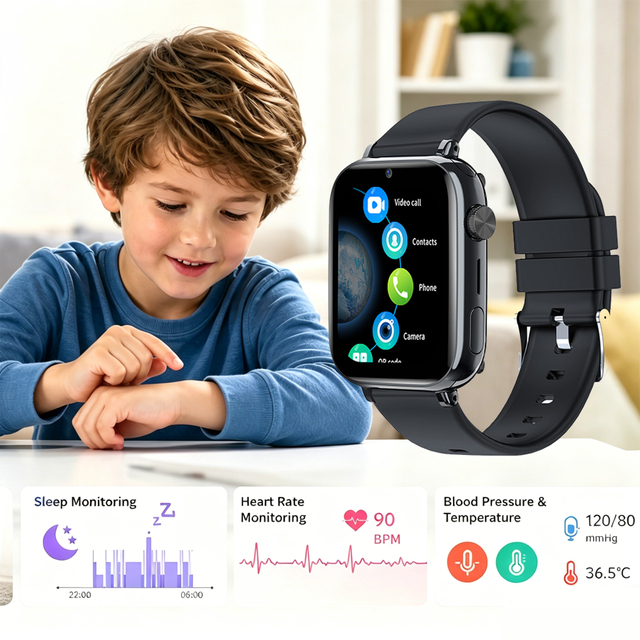
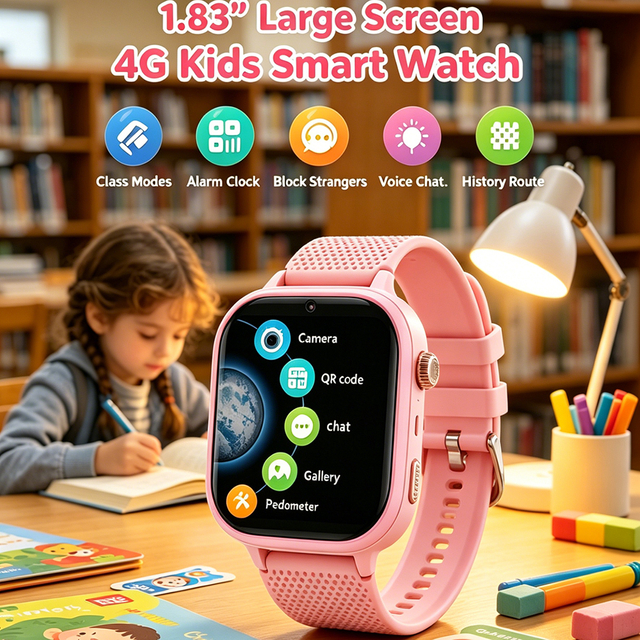
A Kids GPS Tracker Watch becomes school-friendly when its design supports learning rather than competing with it. That requires more than adding a class-mode label. The watch must remain quiet during lessons, restrict unnecessary communication, preserve a simple emergency path, fit comfortably, and give guardians useful information without encouraging constant checking. School policy, age, commute, network coverage, and the child's maturity all change the right configuration. The practical test is straightforward: can the device stay unobtrusive for most of the day and still help when a pickup changes, a route is delayed, or the child needs a trusted adult?
Key Takeaways
A school-friendly watch limits distraction by design, not merely by instruction.
Class mode should be scheduled and predictable while preserving essential emergency functions.
Approved contacts, understandable alerts, privacy controls, comfort, and battery reserve are as important as tracking.
The device must fit local school rules; technology cannot override a prohibition on connected wearables.
School-Friendly Means Purpose-Limited
Adult smartwatches are built to maximize access to apps, notifications, media, and social functions. A school-friendly device often needs the opposite philosophy. It should provide a narrow set of tools for location, communication, and emergency response. A distraction-free kids watch does not have to be featureless; it needs deliberate boundaries.
Those boundaries make the device easier for the child to understand. A short contact list reduces confusion. A dedicated SOS action is easier to remember than a menu. A scheduled class mode reduces arguments about when games or calls are allowed. A visible battery indicator helps the family maintain the device. Each feature should serve a real scenario rather than decorate a specification sheet.
The D35Wifi school children's GPS watch illustrates this purpose-limited approach. Its listed functions include GPS, Wi-Fi, and LBS positioning, class mode, rejection of unknown calls, SOS, safety zones, route history, two-way voice communication, and no social-media applications. Buyers should still confirm network and model details for their market.
Class Mode Is the Center of Classroom Fit
Class mode should remove nonessential interruptions during a defined schedule. The guardian app may allow parents to set lesson periods, but the buyer should inspect what the restriction actually changes. Does it silence calls, lock the screen, disable media, or limit all interaction except the clock and SOS? Does tracking continue? Can an approved guardian override it for a genuine schedule change?
Automatic scheduling is usually more reliable than asking a young child to enable silent mode each morning. The schedule should account for lunch, recess, after-school clubs, early dismissal, weekends, and school holidays. A poorly configured schedule can block legitimate communication or reactivate distracting features during class.
The emergency path must be explicit. If SOS remains active, the child should know the exact button action. If calls are limited, guardians need to know whether they can still reach the watch and how the watch signals the child. If school policy requires the device to remain in a bag, test whether alerts can still be heard and whether location performance changes.
Class mode should also be difficult for the child to bypass accidentally. Parental controls need account protection, and schedule changes should require guardian authorization. At the same time, the system should not be so complex that caregivers cannot adjust it when the timetable changes.
Controlled Communication Protects Attention and Access
A safe contact watch should distinguish between trusted communication and open access. Parent-managed phonebooks, rejection of unknown calls, and restricted messaging help prevent interruptions and unwanted contact. The child should see recognizable names and have a simple way to reach the small group responsible for pickup or emergencies.
Voice calling is often the most practical function because it conveys context quickly. Voice messages can work when the recipient cannot answer immediately. Video calling may help in some situations, but it consumes more power and data and is more likely to conflict with school policy. Buyers should not assume that more communication modes make a watch more school-friendly.
Families should define communication rules before the first school day. Routine questions can wait until dismissal; urgent changes may justify a call. The watch should not become a channel for parents to interrupt lessons repeatedly. A school-friendly configuration supports the child's independence while retaining an escalation path.
Contact lists require maintenance. When a caregiver changes, remove obsolete access. If the watch is transferred, reset the account and device. Guardians should use unique passwords and avoid sharing one login among a large group. The simpler the access model, the easier it is to audit.
Location Information Should Reduce Uncertainty, Not Create Alarm
Location tracking is useful when it answers practical questions: Did the bus leave school? Has the child arrived at the activity center? Is the watch still near the expected route? It becomes counterproductive when guardians treat every map movement as an emergency.
Positioning methods have different strengths. GPS usually performs best outdoors; Wi-Fi data can help around buildings; LBS or cellular positioning may supply broader context. The displayed point may change as the watch switches sources. Guardians should inspect the location timestamp and expected accuracy context rather than assuming every point is live and exact.
Geofences work best as event cues. A notification that the watch left a school zone can prompt a quick check, but it does not prove where the child is or why the transition occurred. Zones need realistic boundaries, and families should test them during normal travel. School campuses with separate sports fields, bus loops, and nearby roads often require wider or multiple zones.
Location history can help resolve a missed pickup, but unlimited monitoring is not the goal. Families should decide who may view it and for what purpose. A child's understanding should grow with age: explain what the device records, why the family uses it, and how it supports agreed routines.
Comfort and Physical Design Affect Compliance
A GPS watch for students may be worn for eight or more hours, so comfort is functional. Check case dimensions, weight, strap material, buckle positions, screen edges, and fit on the intended wrist. A bulky case can catch on clothing or desks. A loose strap may rotate, while a tight strap can irritate skin.
Physical controls should be usable by small hands but not triggered constantly by normal movement. The SOS button needs a balance between accessibility and accidental activation. Screen text and icons should be readable without long interaction. Charging contacts should be protected from moisture and easy for a caregiver to clean.
Water resistance and toughness should be matched to reality. Children wash hands, play outside, encounter rain, and knock devices against hard surfaces. An IP rating describes controlled test conditions, not every possible activity. Review the device instructions for swimming, showers, salt water, impact, temperature, and charging after exposure.
A removable, replaceable strap can extend service life, but buyers should confirm availability and compatibility. B2B purchasers should test samples across several wrist sizes and realistic school routines instead of approving a design from photographs alone.
Battery and Connectivity Must Survive the Schedule
A school-friendly GPS watch must remain online from departure through the return home. Battery consumption changes with signal strength, location frequency, Wi-Fi scanning, display time, and calls. Published standby time cannot predict a heavily used school day without comparable test conditions.
Create a trial profile: scheduled class mode, normal position intervals, two or three short calls, expected travel, and an after-school activity. Measure the remaining battery at pickup over several days. Leave margin for delays and weaker coverage. Low-battery notifications should reach guardians before the watch shuts down.
Connectivity is equally important. Confirm the network technology, supported frequency bands, SIM format, data requirements, and carrier compatibility in the target country. A watch designed for one region may connect poorly in another even if both use “4G.” Wi-Fi can assist positioning or connectivity on supported models, but it does not automatically replace cellular service for every remote function.
Schools may restrict access to campus Wi-Fi, and captive portals can prevent wearables from connecting. Buyers should therefore test the device without assuming the school network will be available. The 4P-Touch kids solution page outlines a combination of 4G connectivity, GPS/Wi-Fi/cellular positioning, SOS, voice calling, geofencing, unknown-caller blocking, and class mode. Actual deployment should be validated against the chosen watch, carrier, and site.
Policy, Privacy, and Family Expectations
The most capable watch can still be unsuitable if the school prohibits connected wearables. Before purchase, read the student-device policy and ask how smartwatches are treated during lessons, tests, sports, and field trips. Some schools permit them in silent mode; some require storage; others prohibit them entirely.
Privacy needs similar preparation. Location and contact data should be available only to authorized guardians. Review account creation, password recovery, device binding, guardian invitations, data deletion, and lost-device procedures. Organizations deploying watches need written roles for administrators and a process for adding and removing users.
Family expectations should be explicit. The watch is not a guarantee that nothing will go wrong, nor should it replace route practice, check-in plans, emergency contacts, and communication with the school. It is one layer in a broader routine.
Children deserve an age-appropriate explanation. Tell them what information guardians can see and why. Agree on times when checking the watch is acceptable. As they demonstrate responsibility, review whether settings remain proportionate. A school-friendly design supports growing independence rather than turning every movement into a reason for intervention.
School-Friendly Evaluation Table
Area
Suitable behavior
Question to test
Class mode
Restricts nonessential use on a schedule
What remains active, and who can change it?
Contacts
Allows only guardian-approved communication
Can unknown callers reach the child?
SOS
Uses a simple, practiced action
What happens if the first contact does not answer?
Tracking
Shows source context and update time
How does it behave indoors and on the commute?
Alerts
Provides meaningful, configurable notices
Can false or repetitive alerts be tuned?
Battery
Covers the real school day with reserve
Was runtime tested under intended settings?
Design
Fits comfortably and tolerates routine wear
Can the child operate it without prolonged screen use?
Privacy
Restricts guardian access and supports reset
How are lost devices and former users removed?
Policy
Matches the school's device rules
Must it be silent, stored, or left at home?
The Kids GPS Tracker Watch category provides a starting point for model comparison. Use the table above to evaluate each model rather than assuming category-level functions apply universally.
Common Signs a Watch Is Not School-Friendly
A watch is a poor fit when games, social media, open web access, or frequent notifications dominate the experience. An easily bypassed school mode, open calling, confusing SOS control, or weak guardian permissions also creates risk. Very short real-world battery life can make every other feature irrelevant by the afternoon.
Marketing language can hide uncertainty. “Real-time” does not explain update intervals; “waterproof” does not define exposure limits; “4G” does not prove regional compatibility; and “parental control” does not show which settings are protected. Ask for exact behavior and test it.
Another warning sign is a device that requires constant adult intervention. If geofences produce repeated false alerts, schedules reset unexpectedly, or the app makes routine changes difficult, families may stop using important functions. Usability affects safety because a control that is ignored or misunderstood cannot support a dependable routine.
For business buyers, incomplete documentation is a scaling risk. Confirm setup guides, app compatibility, language support, supported bands, account workflows, firmware procedures, packaging claims, and after-sales responsibilities. 4P-Touch materials provide product and solution details, but distributors should verify the chosen configuration for the intended market and school context.
Conclusion
A school-friendly watch is defined by restraint, reliability, and fit. It should remain quiet through lessons, limit communication to trusted people, preserve a practiced emergency path, and provide location information that guardians can interpret responsibly. Comfort, battery reserve, privacy, carrier compatibility, and school policy determine whether those functions work outside a specification sheet. 4P-Touch offers devices and a children's GPS solution relevant to these needs, but the right choice still depends on model-level verification, local network testing, and clear rules shared by the family, child, and school.
FAQs
Can a Kids GPS Tracker Watch be used during lessons?
Only if the school permits it and the device is configured accordingly. A scheduled class mode may limit distractions, but families must confirm what remains active and follow the school's rules.
What should class mode disable?
It should restrict nonessential calls, messages, media, games, and screen interaction as appropriate. Essential tracking and SOS may remain available, but exact behavior must be checked on the specific model.
Is a watch without social media better for school?
Removing social-media access reduces one major source of distraction and online exposure. School suitability still depends on notifications, calls, games, controls, comfort, battery life, and policy.
Should parents track a child continuously?
Continuous checking is rarely necessary for normal routines. Location works best as context for agreed transitions or an unusual delay, combined with communication and established safety procedures.
Can the school Wi-Fi replace a mobile connection?
Not reliably in every case. Campus networks may block wearables or require a browser sign-in, and watch functions vary. Confirm which features operate over Wi-Fi and which require cellular service.
How can a family prevent accidental SOS alerts?
Fit the watch correctly, teach the required button action, and practice calmly. The control should be accessible but not activated by normal wrist movement, clothing, or a school bag.